
Creators · Excel template · Available now
Creator Content OS
Content planner, Reels script planner & KPI dashboard for short-form creators.
Your content lives in five apps. Give it one system: plan ideas by pillar, script Reels, TikToks and Shorts, schedule them, log your real numbers and let the workbook calculate the rates — plus track brand deals, client work and pitches in the same file.
Available now
Buy securely via Stripe. Price: $29 USD, one-time, no subscription.
Secure payment hosted by Stripe; private download after payment. See our Privacy Policy.

What’s in the download
Four files.
One system.
One ZIP file. Everything below exists today and has been checked file by file.
- CCOS_V1_CLEAN.xlsx — your working file15 tabs
- CCOS_V1_SAMPLE.xlsx — filled with fictional data so you can see it working15 tabs
- CCOS Playbook — 30 hooks, 30 timed short-form structures, a 30-day challenge and a metrics guidePDF · 18 pages
- START HERE — quick-start guidePDF
How it works
Idea to insight,
in one workbook.
- IdeaContent Bank · Pillars
- ScriptReels Planner
- ScheduleCalendar
- MeasureKPI Tracker
- LearnDashboard · Monthly Trends
- EarnOffer Map · Brand Deals · Clients · Outreach
Type the raw numbers from your apps (about two minutes per post). The workbook calculates engagement, save, share and follow rates from totals, so one unusual post doesn’t distort your month.
Tour · 10 real screens
See the actual workbook.
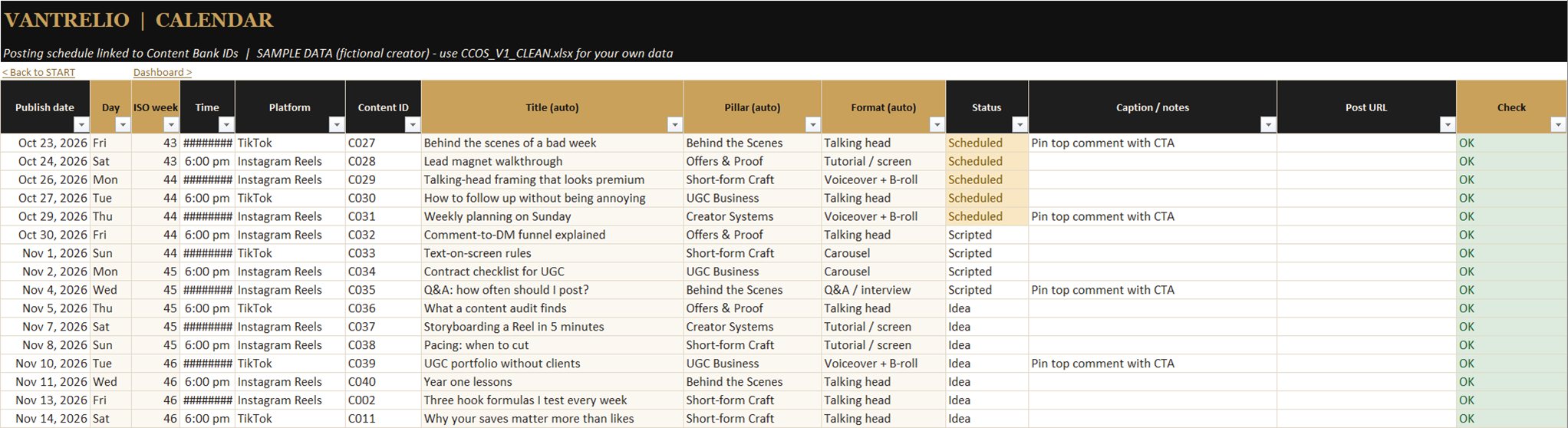
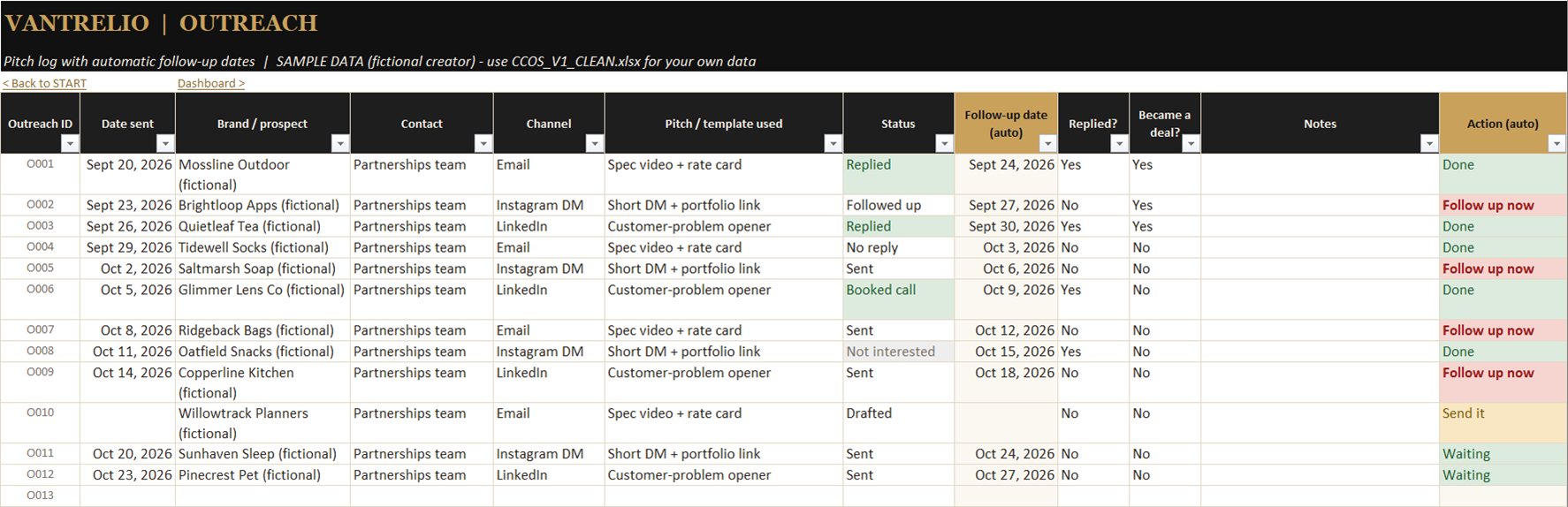
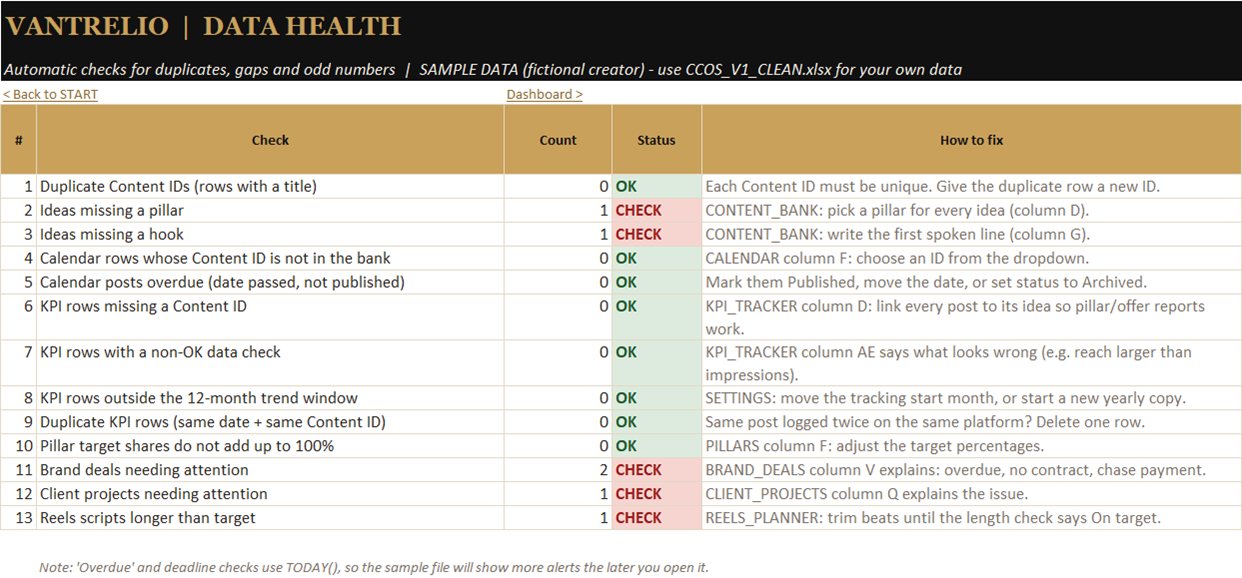
Unedited screenshots from Microsoft Excel. Every number on them is sample data for a fictional creator. Wide sheets scroll sideways; open any sheet at full size to read the details.

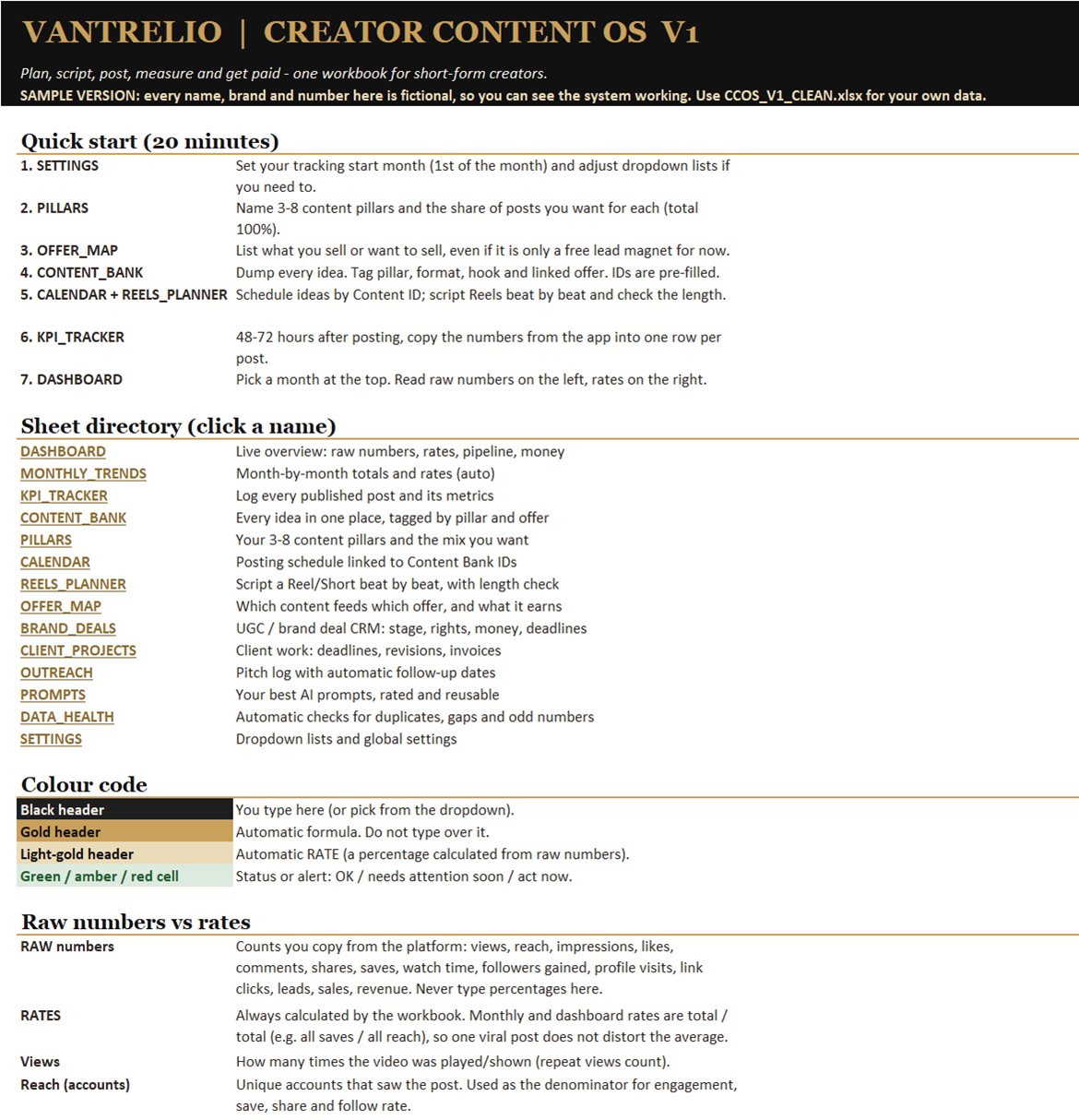

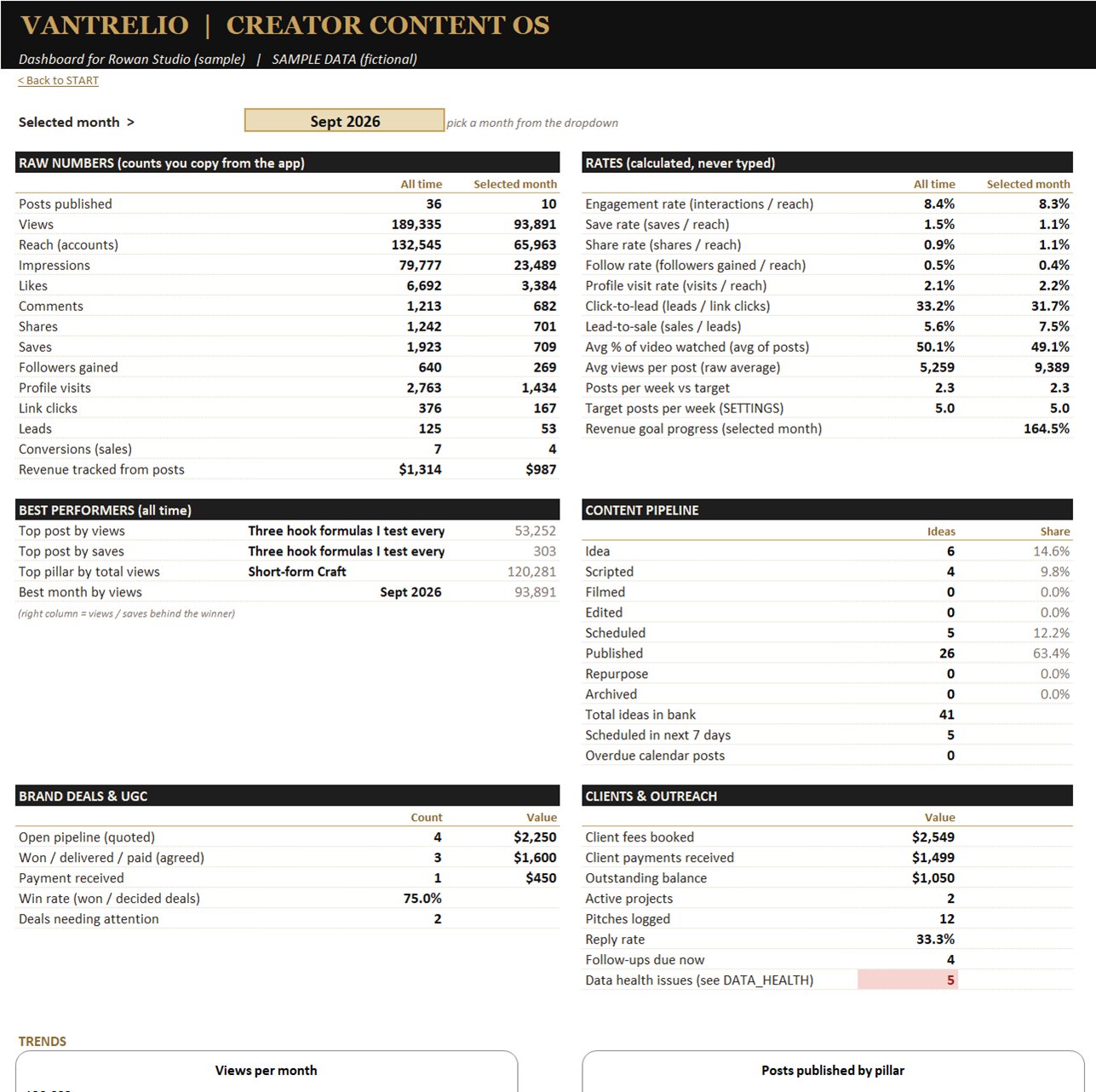

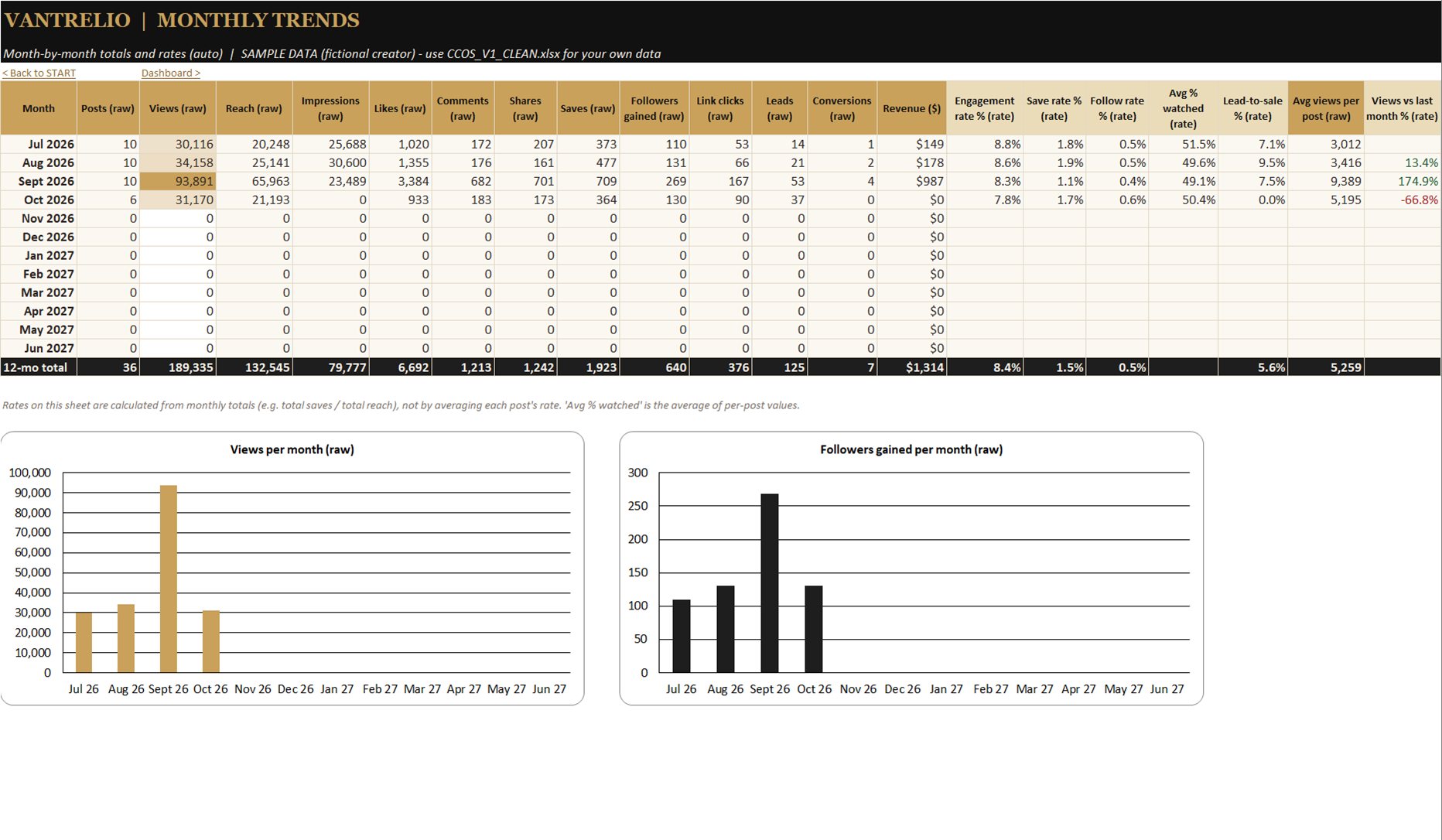



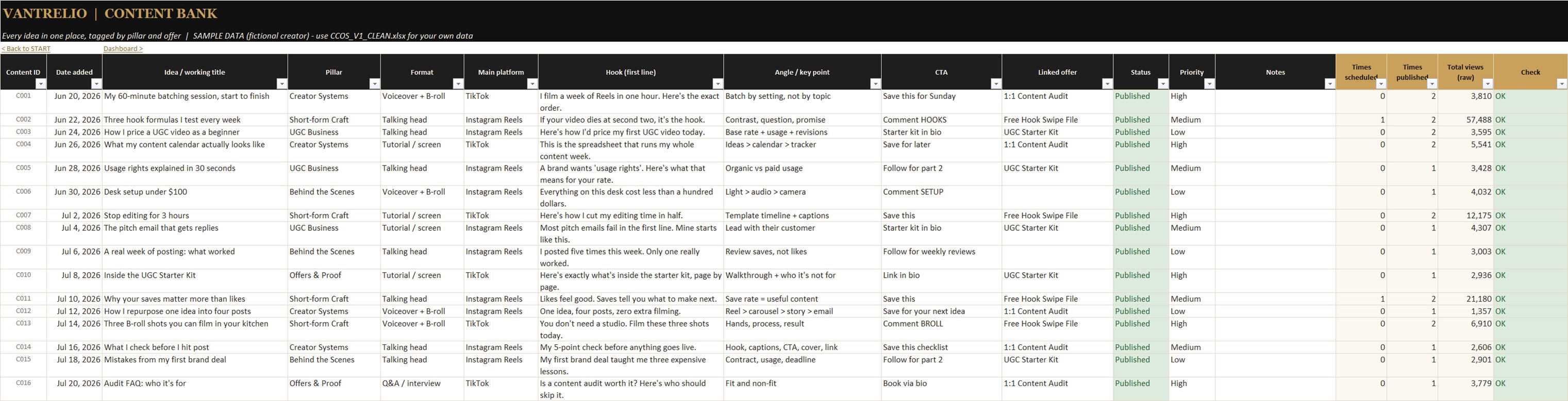







All 15 tabs
What the workbook
actually does.
About 13,300 working formulas. Fully recalculated in Microsoft Excel with zero formula errors. No macros, no add-ins, no external links.
- Start & Settings Setup steps; your own dropdown lists live on Settings.
- Dashboard & Monthly Trends Month selector, raw totals next to rates, 12-month trend table and charts.
- KPI Tracker Engagement, save, share, follow, profile-visit, click-to-lead, lead-to-sale and average % watched — calculated, never typed.
- Content Bank & Pillars Idea IDs, hooks and formats; pillar targets vs actual share of posts.
- Calendar & Reels Planner Linked to content IDs, overdue flags, spoken-length check.
- Offer Map Ideas, posts, clicks, leads, sales and revenue per offer.
- Brand Deals, Client Projects & Outreach UGC deal tracker, fees and balances, revisions, follow-up flags.
- Prompts & Data Health A place for your prompts (10 examples in the sample file) and 13 automatic data checks.
Is it right for you?
Honest fit.
Good fit
- Solo creators, freelancers and coaches posting short-form video
- UGC creators who want deals, usage rights and payments in one place
- Anyone comfortable typing a few numbers into Microsoft Excel
Not a fit
- You want posts published automatically — it doesn’t post for you
- You want analytics pulled in automatically — it doesn’t connect to platforms
- You only use Google Sheets, Apple Numbers or LibreOffice — not tested, not supported
- You want guaranteed growth — no follower, view or income results are promised
Compatibility & support
Built for Excel.
Supported in Excel.
We only support what we have tested. Help by email covers Microsoft Excel.
| App | Status |
|---|---|
| Microsoft Excel (Microsoft 365, Windows) | Tested & supported |
| Excel for Mac | Not tested yet. Standard .xlsx with no macros, so it should open — not guaranteed. |
| Google Sheets | Not tested. Dropdowns, charts or sheet links may behave differently. Not supported. |
| Apple Numbers, LibreOffice | Not tested. Not supported. |
FAQ
Questions, answered plainly.
Can I buy it today?
Yes. Buy securely with Stripe for a one-time $29 USD. After payment, get your private download link from the thank-you page.
How will buying work?
Stripe securely processes the one-time payment. Once confirmed, the thank-you page provides a private, single-use download link, valid for 24 hours. See our Refund & Delivery Policy.
Does it post to Instagram or TikTok for me?
No. It plans and measures; you post on your own accounts.
Does it pull my analytics automatically?
No. You copy raw numbers in from your apps; the rates are calculated for you.
Does it work in Google Sheets?
It’s built and tested in Microsoft Excel. We haven’t tested Google Sheets, so we don’t support it — dropdowns, charts or sheet links may behave differently after import.
What about Mac?
Excel for Mac should open it (standard .xlsx, no macros), but we haven’t tested it yet. Apple Numbers is not supported.
Will it grow my account?
Nothing can promise that. It shows you what’s working so you can decide what to do more of.
Can I edit it?
Yes. Dropdown lists live on the Settings tab. Keep a copy before changing formulas.
Is the sample data real?
No. All names, brands and numbers in the sample file and screenshots are fictional so you can see the system working.
Are there reviews?
Not yet — the product hasn’t launched, so there are no customer reviews, and we won’t show invented ones.
Available now
Want to know
when it opens?
Buy once for $29 USD. Download the Creator Content OS Pro ZIP after payment confirmation.